Data Management
The Data section is used to manage financial structures and company data after onboarding.
It separates shared financial structure from company-specific data to ensure consistency across entities.
It is split into:
- Organizational Data — shared financial statement design, Departments matrix, FX rates
- Company Data — uploads, mappings, and financial values per entity
Organizational Data
Changes made here affect all companies in the organization.
Financial statement design (FSD)
What you do
- Maintain the shared financial statement design
- Ensure consistent Totals, Subtotals, Level 1, and Level 2 positions across entities
Drafts, impact & publishing
- All changes are saved as drafts
- You can review the impact of design changes on financials before publishing
- Click Confirm to apply changes across the organization
Caution
Confirming a financial statement design is not reversible.
Translations
- Positions are stored in the language defined in user settings
- Default positions are translated automatically
- Custom positions not yet translated are marked with 🌍︎
- To translate custom positions, switch the language and adjust the financial statement design
Departments
With the Departments add-on on, the Departments card on Organizational Data exposes the org-departments matrix: rows are org departments, columns are companies, cells hold the raw cost-centre chips that route into each org department. Use this card to maintain the cross-company department layout that drives every dept-scoped view in Financials and Planning.
FX rates
When your org uses more than one currency, an FX rates page lists ECB monthly reference rates for every currency in use. The view is read-only:
- Rates are pushed by the backend at every month-end — there is no manual refresh.
- The currency list is auto-derived from the currencies actually in use; there is no add / remove.
- Two parallel rate types are tracked: an average rate (for P&L translation) and a closing rate (for Balance Sheet translation).
- The latest month is highlighted; a synced-on badge tells you when the table was last refreshed.
Company Data
Company Data affects only the selected company.
It provides a centralized overview of all companies and their data status.
Company overview
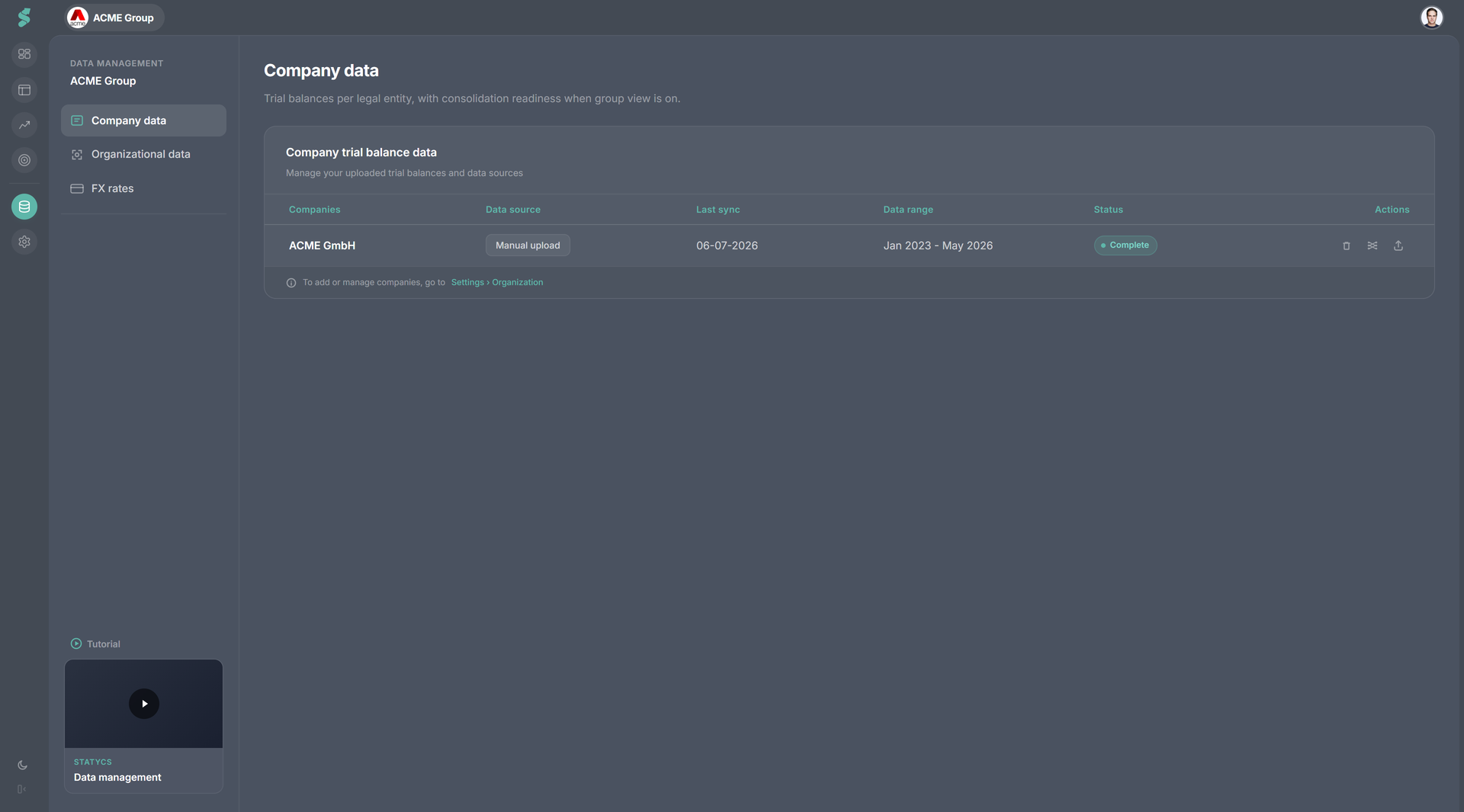
For each company, you can see:
- Last sync — when financial data was last updated
- Uploaded time range — which periods are available
- Mapping status — whether unmapped accounts exist
⚠️ A warning indicator highlights companies with unmapped accounts.
From this overview, you can perform three core actions.
Upload Data
- Upload or sync trial balances at any time
- New uploads overwrite existing financial values
- The upload process is identical to onboarding
- Additional input formats and integrations will be added continuously
Review before confirm
- You will see the impact of overwritten data before confirming
Caution
Confirming an upload overwrite is not reversible.
Mapping
- Open Mapping to edit account mappings in draft mode
- Same functionality as during onboarding
- Accounts from new uploads are always placed under Non-categorized
- Users must explicitly review and map new accounts
- Use ⚠️ filters to locate unmapped accounts quickly
- Confirm or revert changes to publish them live
With the Departments add-on on, the same mapping screen exposes the Departments popover next to each P&L account so you can attach per-department overrides where the default placement isn’t right.
Delete Data
- Use Delete Data to remove financial values from the last uploaded month onward
- Designed for corrections and re-uploads
Review before confirm
- You will see the impact of deleted data before confirming
Caution
Deleting data is not reversible.
- Financial statement designs are never affected
- Account mappings are only removed if all company data is deleted
Why it matters
- Clear visibility into data health across all companies
- Full transparency before committing irreversible actions
- Full control over uploads, mappings, and financial values per entity
Related
- Onboarding — the first-run flow that ends in Data Management
- Departments — the matrix and per-account overrides
- Notifications — unmapped-account alerts surface here