Planning notes
What Planning notes are for
Planning notes are small annotations attached to a row in Planning — the assumption, decision, or caveat behind the number. The note travels with the row across plan switches and re-imports, so the rationale doesn’t get stranded in a separate doc.
For cell-level notes inside Financials, see Notes.
TL;DR
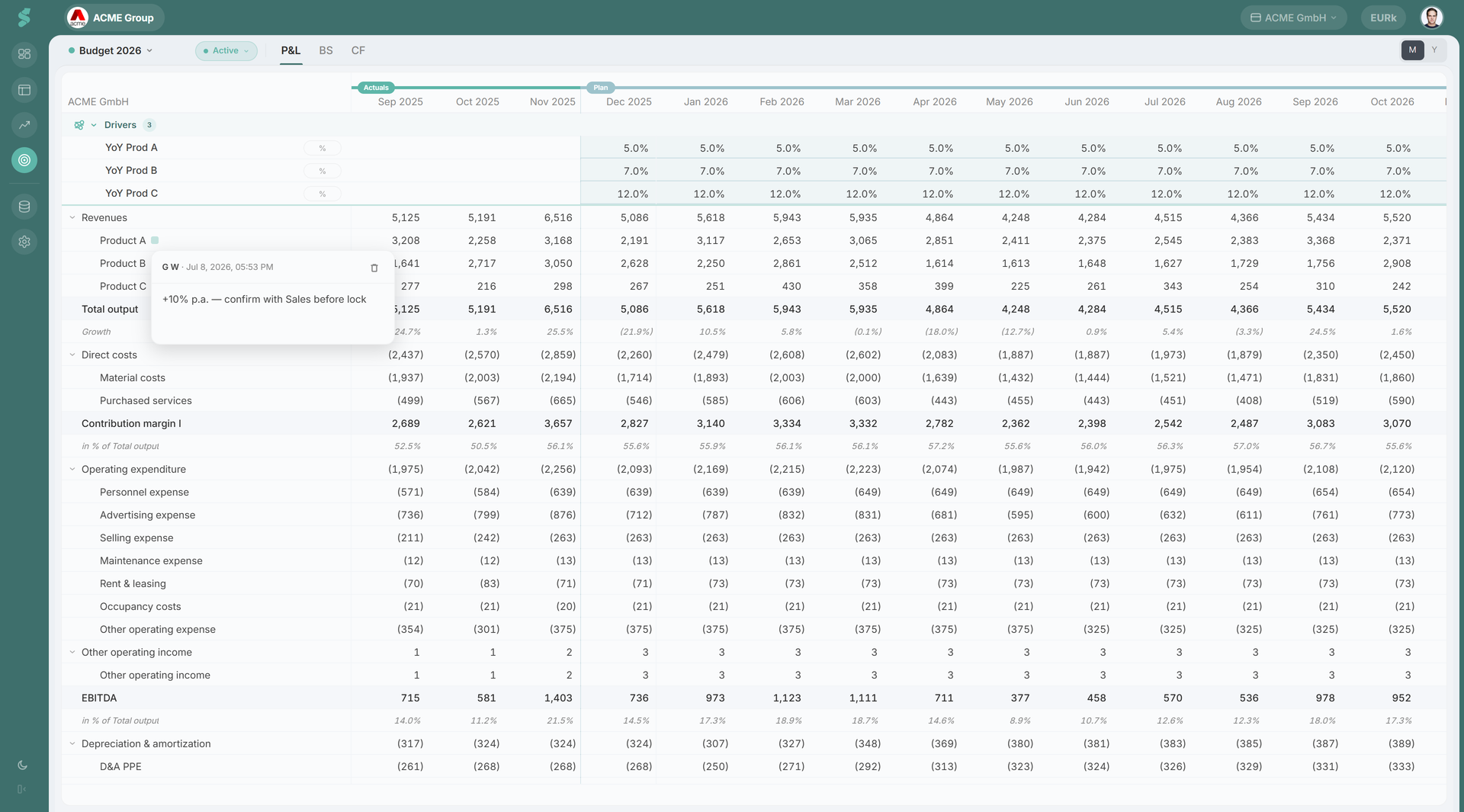
Click the note indicator on a planning row to open a plain-text popup. One note per row; the note follows the row across plan switches.
How row notes work
A row note is anchored to a single planning row — not to a period. There is one note per row. Whatever you type stays with that row whether you change plans or roll forward to a new last-actuals month.
A small icon on the row indicates that a note exists. Hover for a preview tooltip; click the icon (or use the row menu) to open the note popup.
The popup is a plain-text editor with auto-save: typing commits with a short debounce, and closing the popup commits any pending edit. A trash button on existing notes deletes them. Press Esc to close, Enter to close-and-save, Shift+Enter for a newline.
When to use a row note
Use a row note for the assumption behind a number — the kind of context that belongs with the line item, not next to a single cell:
- “Revenue Q3 step-up driven by the new pricing tier launching 1 July.”
- “Marketing budget reduced 15% from last year per board decision.”
- “Headcount frozen at 42 until the next funding round.”
For one-off period-specific remarks (e.g. “March was a 5-week month for billing”), prefer a Financials cell note on the actual period in question.
Note elements
The indicator
A subtle icon on the row signals presence. It’s intentionally low-contrast so it never competes with the numbers. Rows without notes show no indicator at all.
The popup
The popup floats next to the icon and flips above when there isn’t room. Header shows the author and last-updated timestamp; new notes show “New note” until the first save. The editor is plain text — no formatting, no embeds — keeping the artefact small and durable.
Persistence and scope
Row notes key on {company} × {row}. They follow the row across plan switches. If a row is deleted from the planning structure, its note becomes orphaned (the structure store loses the anchor; the note is no longer reachable from the UI).
Row notes are saved to your statycs account — not to your browser — and are shared across the company: everyone who can read the plan sees the same note, on any device. Edits sync automatically.
Visibility and roles
Row notes inherit role gating from Planning. Anyone who can read a plan can read its row notes; anyone who can edit a plan can write or delete them. Viewers and guests with no Planning access do not see row notes.
Related
- Planning — the surface for row notes
- Notes — cell-level equivalent inside Financials
- Commentary — longer-form narrative for the period as a whole