Commentary
What Commentary is for
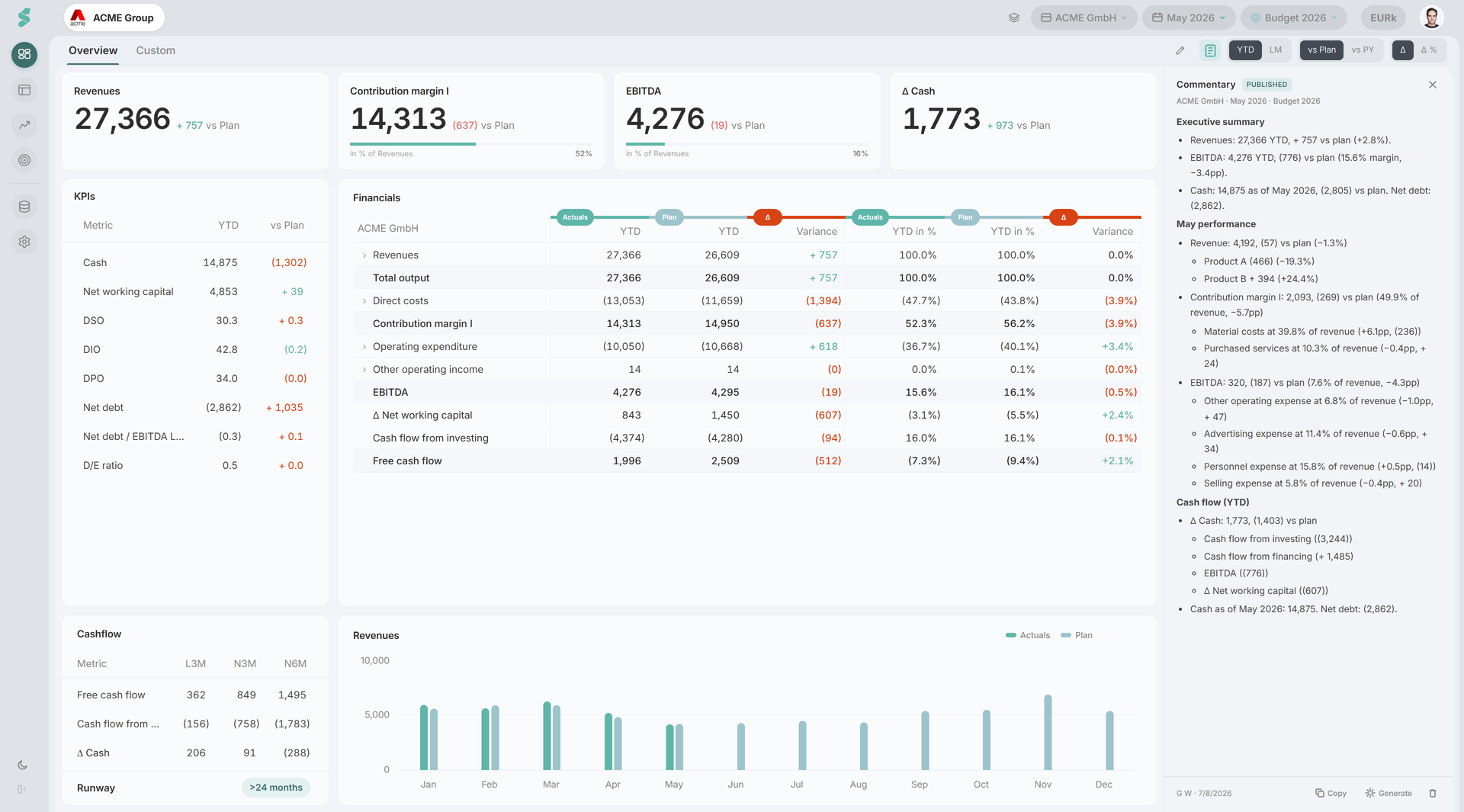
Commentary is a rich-text panel on the Dashboard for the board-pack narrative attached to a specific period — the story behind the month’s numbers, kept alongside them and ready to publish to viewers or pull into a report.
TL;DR
Open the commentary panel from the glyph in the Dashboard subheader. It’s a rich-text editor that auto-saves per company, plan, and last-actual month; admins publish, editors draft, viewers read the published version.
How to open Commentary
Open the panel from the  glyph in the Dashboard subheader (next to the Period / Compare toggles, on the Overview tab). The icon is state-aware:
- Plain — no commentary yet for this period; the tooltip reads Add commentary.
- Draft state — there is an unsaved draft; the tooltip reads Draft commentary.
- Published state — a published version exists; the tooltip reads View commentary.
Drafters always see the icon. Viewers and guests only see it once a published version exists for the active period.
How Commentary works
The panel is a rich-text editor that saves as you type, scoped per company × plan × last-actual-month — so May’s commentary stays distinct from June’s, and the case A plan version stays separate from case B.
Roles
- Super Admin / Admin — draft, publish, discard, delete
- editor — draft only (drafts auto-save; publishing requires admin)
- viewer / guest — read the published version only
Actions
- Publish — promotes the current draft to the published version (timestamped, attributed)
- Discard — drops draft changes and reverts to the published version
- Delete — removes the published version (admins, with confirmation)
- Copy — copies the rendered commentary as HTML and plain text to the clipboard, ready to paste into an email or document
Draft helper buttons
Helper buttons pre-fill the editor with deterministic, data-driven drafts you can then edit (the same numbers always produce the same text — it’s a rule-based narrator, not AI):
- Executive Summary — YTD headline (Revenues, margin, cash position)
- [Month] Performance — last-month detail with breakdown bullets for Revenues, Contribution margin I, EBITDA
- Cash Flow (YTD) — operating / investing / financing cash flow vs plan, plus working-capital ratios
These are starting drafts, not finished narrative — read, edit, and publish.
Related
- Dashboard — where the Commentary panel lives
- Notes — short, in-place remarks on a single cell (vs. the period narrative here)
- Report Builder — the report commentary is generated by the same deterministic narrator